Core Functions
Data object
- class naplib.Data(data, strict=False)[source]
Class for storing electrode response data along with task- and electrode-related variables. Under the hood, it consists of a list of dictionaries where each dictionary contains all the data for one trial.
- Parameters:
data (dict or list of dictionaries) -- If a list of dicts, then the Nth dictionary defines the Nth trial data, typically corresponding to the Nth stimulus. Each dictionary must contain the same keys if passed in as a list of multiple trials. If a single dict, then the keys specify the field names and the values specify the data across trials, and each value must be a list of length num_trials.
strict (bool, default=False) -- If True, requires strict adherance to the following standards: 1) Each trial must contain at least the following fields: ['name','sound','soundf','resp','dataf'] 2) Each trial must contain the exact same set of fields
- mne_info
Measurement info object containing things like electrode locations (only if Data is created from reading a file format like BIDS).
- Type:
mne.Info instance
- info
Extra info (not trial-specific) that a user wants to store using Data.set_info or Data.update_info
- Type:
Notes

The above is a depiction of the type of data that might be stored in an instance of the Data class. Any number of trials can be stored with any number and type of fields. Responses and information do not need to be aligned or the same length/shape across trials. Information can be retrieved from the Data instance by trial, by field, or by a combination of the two, using bracket indexing and slicing, as described below.
Examples
>>> import naplib as nl
>>> import numpy as np
>>> # Constructing Data from a dict, where keys give fields and values are lists of trial data
>>> names = ['trial1', 'trial2'] # trial names
>>> responses = [np.arange(6).reshape(3,2), np.arange(6,12).reshape(3,2)] # neural responses
>>> dataf = [100, 100] # sampling rate
>>> data = nl.Data({'name': names, 'resp': responses, 'dataf': dataf})
>>> data
Data object of 2 trials containing 3 fields
[{"name": <class 'str'>, "resp": <class 'numpy.ndarray'>, "dataf": <class 'int'>}
{"name": <class 'str'>, "resp": <class 'numpy.ndarray'>, "dataf": <class 'int'>}]
>>> # Accessing a single trial returns a view of one trial as a dict
>>> data[1]
{'name': 'trial2',
 'resp': array([[ 6,  7],
        [ 8,  9],
        [10, 11]]),
 'dataf': 100}
>>> # Accessing a single field returns a shallow copy of that field as a list over trials
>>> data['name']
['trial1', 'trial2']
>>> # Accessing multiple fields returns a shallow copy of those fields within a Data instance
>>> data[['resp', 'dataf']]
Data object of 2 trials containing 2 fields
[{"resp": <class 'numpy.ndarray'>, "dataf": <class 'int'>}
{"resp": <class 'numpy.ndarray'>, "dataf": <class 'int'>}]
>>> # Accessing multiple trials with slice indexing returns a shallow copy of those
>>> # trials in a Data instance
>>> data[:2]
Data object of 2 trials containing 3 fields
[{"name": <class 'str'>, "resp": <class 'numpy.ndarray'>, "dataf": <class 'int'>}
{"name": <class 'str'>, "resp": <class 'numpy.ndarray'>, "dataf": <class 'int'>}]
- __getitem__(index)[source]
Get either a trial or a field using bracket indexing. See notes and examples below for details.
- Parameters:
index (int or string) -- Which trial to get, or which field to get.
- Returns:
data -- If index is an integer, returns the corresponding trial as a dict. If index is a string, returns the corresponding field, and if it is a list of strings, returns those fields together in a new Data object.
- Return type:
Note
Depending on how indexing and slicing is performed, the data returned may be a view of the underlying data, or it may be a shallow copy of the underlying data. The only way to get a view of the underlying data, meaning editing that view will also edit the underlying data, is to use integer indexing to get a single trial from the Data instance, which returns a dict for that trial. Indexing by field name first and indexing with slicing both return shallow copies of the data.
For example, if we want to set the 'name' field in the first trial of our Data, we can only do it in the following way:
>>> data[0]['name'] = 'trial0'
Whereas following code will NOT actually change the underlying trial name:
>>> data['name'][0] = 'trial0'
Examples
>>> # Get a specific trial based on its index, which returns a dict
>>> from naplib import Data
>>> trial_data = [{'name': 'Zero', 'trial': 0, 'resp': [[0,1],[2,3]]},
...               {'name': 'One', 'trial': 1, 'resp': [[4,5],[6,7]]}]
>>> data = Data(trial_data, strict=False)
>>> data[0]
{'name': 'Zero', 'trial': 0, 'resp': [[0, 1], [2, 3]]}
>>> # Get a slice of trials, which returns a shallow copy of those trials in a Data instance
>>> out[:2]
Data object of 2 trials containing 3 fields
[{"name": <class 'str'>, "trial": <class 'int'>, "resp": <class 'list'>}
{"name": <class 'str'>, "trial": <class 'int'>, "resp": <class 'list'>}]
>>> # Get a list of trial data from a single field, which returns a shallow copy of
>>> # each trial in that field
>>> data['name']
['TrialZero', 'TrialOne']
>>> # Get a single trial with integer indexing, returning a view of that trial as a dict
>>> data[0]
{'name': 'TrialZero', 'trial': 0, 'resp': [[0, 1], [2, 3]]}
>>> # Get multiple fields using a list of fieldnames, which returns a shallow copy of that
>>> # subset of fields
>>> data[['resp','trial']]
Data object of 2 trials containing 2 fields
[{"resp": <class 'list'>, "trial": <class 'int'>}
{"resp": <class 'list'>, "trial": <class 'int'>}]
- __setitem__(index, data)[source]
Set a specific trial or set of trials, or set a specific field, using bracket indexing. See examples below for details.
- Parameters:
index (int or string) -- Which trial to set, or which field to set. If an integer, must be <= the length of the Data, since you can only set a currently existing trial or append to the end, but you cannot set a trial that is beyond that.
data (dict or list of data) -- Either trial data to add or field data to add. If index is an integer, dictionary should contain all the same fields as current Data object.
Examples
>>> # Set a field of a Data
>>> from naplib import Data
>>> trial_data = [{'name': 'Zero', 'trial': 0, 'resp': [[0,1],[2,3]]},
...               {'name': 'One', 'trial': 1, 'resp': [[4,5],[6,7]]}]
>>> data = Data(trial_data)
>>> data[0] = {'name': 'New', 'trial': 10, 'resp': [[0,-1],[-2,-3]]}
>>> data[0]
{'name': 'New', 'trial': 10, 'resp': [[0, -1], [-2, -3]]}
>>> # We can also set all values of a field across trials
>>> data['name'] = ['TrialZero','TrialOne']
>>> data['name']
['TrialZero', 'TrialOne']
- __delitem__(index)[source]
Delete a specific trial or set of trials, or delete a specific field, using bracket indexing. See examples below for details.
- Parameters:
index (int or string) -- Which trial to delete, or which field to delete. If an integer, must be < the length of the Data, since you can only delete an existing trial
Examples
>>> # Delete a field of a Data
>>> from naplib import Data
>>> trial_data = [{'name': 'Zero', 'trial': 0, 'resp': [[0,1],[2,3]]},
...               {'name': 'One', 'trial': 1, 'resp': [[4,5],[6,7]]}]
>>> data = Data(trial_data)
>>> del data[0]
>>> data[0]
{'name': 'One', 'trial': 1, 'resp': [[4, 5], [6, 7]]}
>>> # We can also delete all values of a field across trials
>>> trial_data = [{'name': 'Zero', 'trial': 0, 'resp': [[0,1],[2,3]]},
...               {'name': 'One', 'trial': 1, 'resp': [[4,5],[6,7]]}]
>>> data = Data(trial_data)
>>> del data['name']
>>> data[0]
{'trial': 0, 'resp': [[0, 1], [2, 3]]}
- append(trial_data, strict=None)[source]
Append a single trial of data to the end of a Data.
- Parameters:
trial_data (dict) -- Dictionary containing all the same fields as current Data object.
strict (bool, default=self._strict) -- If true, enforces that new data contains the exact same set of fields as the current Data. Default value is self._strict, which is set based on the input when creating a new Data from scratch with __init__()
- Raises:
TypeError -- If input data is not a dict.
ValueError -- If strict is True and the fields contained in the trial_data do not match the fields currently stored in the Data.
Examples
>>> # Set a field of a Data
>>> from naplib import Data
>>> trial_data = [{'name': 'Zero', 'trial': 0, 'resp': [[0,1],[2,3]]},
...               {'name': 'One', 'trial': 1, 'resp': [[4,5],[6,7]]}]
>>> data = Data(trial_data)
>>> new_trial_data = {'name': 'Two', 'trial': 2, 'resp': [[8,9],[10,11]]}
>>> data.append(new_trial_data)
>>> len(data)
3
- set_info(info)[source]
Set the info dict for this Data. If there is already data in the info attribute, it is replaced with this.
- Parameters:
info (dict) -- Dictionary containing info to store in the Data's info attribute.
- update_info(info)[source]
Add data from a dict to this object's info attribute. If there is already data in the info attribute, this new info is simply added. Keys which exist in the current info dict and also in this new dict will be replaced, while others will be kept.
- Parameters:
info (dict) -- Dictionary containing info to add to the Data's info attribute.
- set_mne_info(info)[source]
Set the mne_info attribute, which contains measurement information.
- Parameters:
info (mne.Info instance) -- Info to set.
- __len__()[source]
Get the number of trials in the Data object with
len(Data).Examples
>>> from naplib import Data
>>> trial_data = [{'trial': 0, 'resp': [[0,1],[2,3]]},
                  {'trial': 1, 'resp': [[4,5],[6,7]]}]
>>> data = Data(trial_data, strict=False)
>>> len(data)
2
- property fields
List of strings containing names of all fields in this Data.
- property data
List of dictionaries containing data for each stimulus response and all associated variables.
- property info
Dictionary which can be used to store metadata info which does not change over trials, such as subject, recording, or task information.
- property mne_info
mne.Info instance which stores measurement information and can be used with mne's visualization functions. This is empty by default unless it is manually added or read in by a function like naplib.io.load_bids.
Examples using ``Data ``
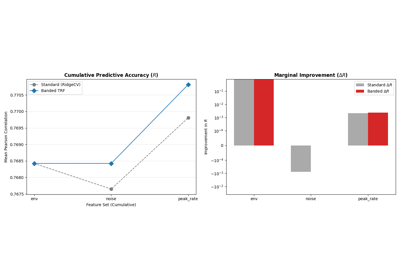
TRF Comparison: Iterative RidgeCV vs. Banded Regularization



Plotting EEG Topomap of Alpha/Theta Ratio with MNE


concat
- naplib.concat(data_list, axis=0, copy=True)[source]
Concatenate Data objects across either trials or fields. This performs an inner join on the other dimension, meaning non-shared fields will be lost if concatenating over trials, and non-shared trials will be lost if concatenating over fields. If concatenating over fields and there are shared fields, then the field will only be taken from the first Data object in the input sequence and the rest will be ignored.
Note: anything stored in the .info or .mne_info attributes of the objects will not be stored in the output.
- Parameters:
data (list or tuple of Data instances) -- Sequence containing the different Data objects to concatenate.
axis (int, defualt=0) -- To concantate over trials (default), axis should be 0. To concatenate over fields, axis should be 1.
copy (bool, default=True) -- Whether to deep copy each Data object before concatenating.
- Returns:
data_merged -- A Data instance of the two merged objects.
- Return type:
Data instance
Examples
>>> import naplib as nl
>>> # First, try concatenating over trials from two different Data objects
>>> d1 = nl.Data({'name': ['t1','t2'], 'resp': [[1,2],[3,4,5]], 'extra': ['ex1','ex2']})
>>> d2 = nl.Data({'name': ['t3','t4'], 'resp': [[6,7],[9,10]], 'extra': ['ex3','ex4']})
>>> d_concat = nl.concat((d1, d2))
>>> len(d_concat)
4
>>> d_concat.fields
['name', 'resp', 'extra']
>>> d_concat['name']
['t1', 't2', 't3', 't4']
>>> d_concat['resp']
[[1, 2], [3, 4, 5], [6, 7], [9, 10]]
>>> d_concat['extra']
['ex1', 'ex2', 'ex3', 'ex4']
>>> # We can also concatenate over fields if we have two Data objects for the same trials
>>> # Duplicate fields will only be kept from the first Data object that they appear in
>>> d3 = nl.Data({'name': ['t1-1','t2-1'], 'resp': [[1,2],[3,4,5]]})
>>> d4 = nl.Data({'name': ['t1-2','t2-2'], 'meta_data': ['meta1', 'meta2']})
>>> d_concat = nl.concat((d3, d4), axis=1)
>>> len(d_concat)
2
>>> d_concat.fields
['name', 'resp', 'meta_data']
>>> d_concat['name']
['t1-1', 't2-1']
>>> d_concat['resp']
[[1, 2], [3, 4, 5]]
>>> d_concat['meta_data']
['meta1', 'meta2']
join_fields
- naplib.join_fields(data_list, fieldname='resp', axis=-1, return_as_data=False)[source]
Join trials from a field in multiple Data objects by zipping them together and concatenating each trial together. The field must be of type np.ndarray and concatenation is done with np.concatenate().
- Parameters:
data (sequence of Data instances) -- Sequence containing the different Data objects to join.
fieldname (string, default='resp') -- Name of the field to concatenate from each Data object. For each trial in each Data instance, this field must be of type np.ndarray or something which can be input to np.concatenate().
axis (int, default = -1) -- Axis along which to concatenate each trial's data. The default corresponds to the channel dimension of the conventional 'resp' field of a Data object.
return_as_data (bool, default=False) -- If True, returns data as a Data object with a single field named fieldname.
- Returns:
joined_data -- Joined data of same length as each of the Data objects containing concatenated data for each trial.
- Return type:
list of np.ndarrays, or Data instance
Examples
>>> import naplib as nl
>>> data1 = nl.Data({'resp': [np.array([0,1,2]).reshape(-1,1), np.array([3,4]).reshape(-1,1)]})
>>> data2 = nl.Data({'resp': [np.array([5,6,7]).reshape(-1,1), np.array([8,9]).reshape(-1,1)]})
>>> data1
[array([[0],
        [1],
        [2]]),
 array([[3],
        [4]])]
>>> data2
[array([[5],
        [6],
        [7]]),
 array([[8],
        [9]])]
>>> resp_joined = nl.join_fields((data1, data2))
>>> resp_joined
[array([[0, 5],
        [1, 6],
        [2, 7]]),
 array([[3, 8],
        [4, 9]])]
>>> resp_joined2 = nl.join_fields((data1, data2), axis=0)
>>> resp_joined2
[array([[0],
        [1],
        [2],
        [5],
        [6],
        [7]]),
 array([[3],
        [4],
        [8],
        [9]])]
set_logging
- naplib.set_logging(level: int | str)[source]
Sets the log level at the module level. All functions within this module by default use this log level, except when a submodule has its own separate log level.
- Parameters:
level (string or int) -- Any log level that is recognized by python's built-in
loggingmodule
Examples
>>> import logging
>>> import naplib as nl
>>> # Set log level to INFO, which means any logging done with naplib.logger
>> # internally will be shown as long as it is at least as serious as INFO level
>>> nl.set_logging(logging.INFO)
>>> # Now we can call some naplib function that incorporates logging and get
>>> # the logging output we want
>>> nl.naplab.process_ieeg(...)